Plans, billing & usage
What each plan includes, how per-seat quotas work, and how to upgrade.
The Billing page (in the left sidebar) shows your current plan, live usage against every quota, and the available plans.
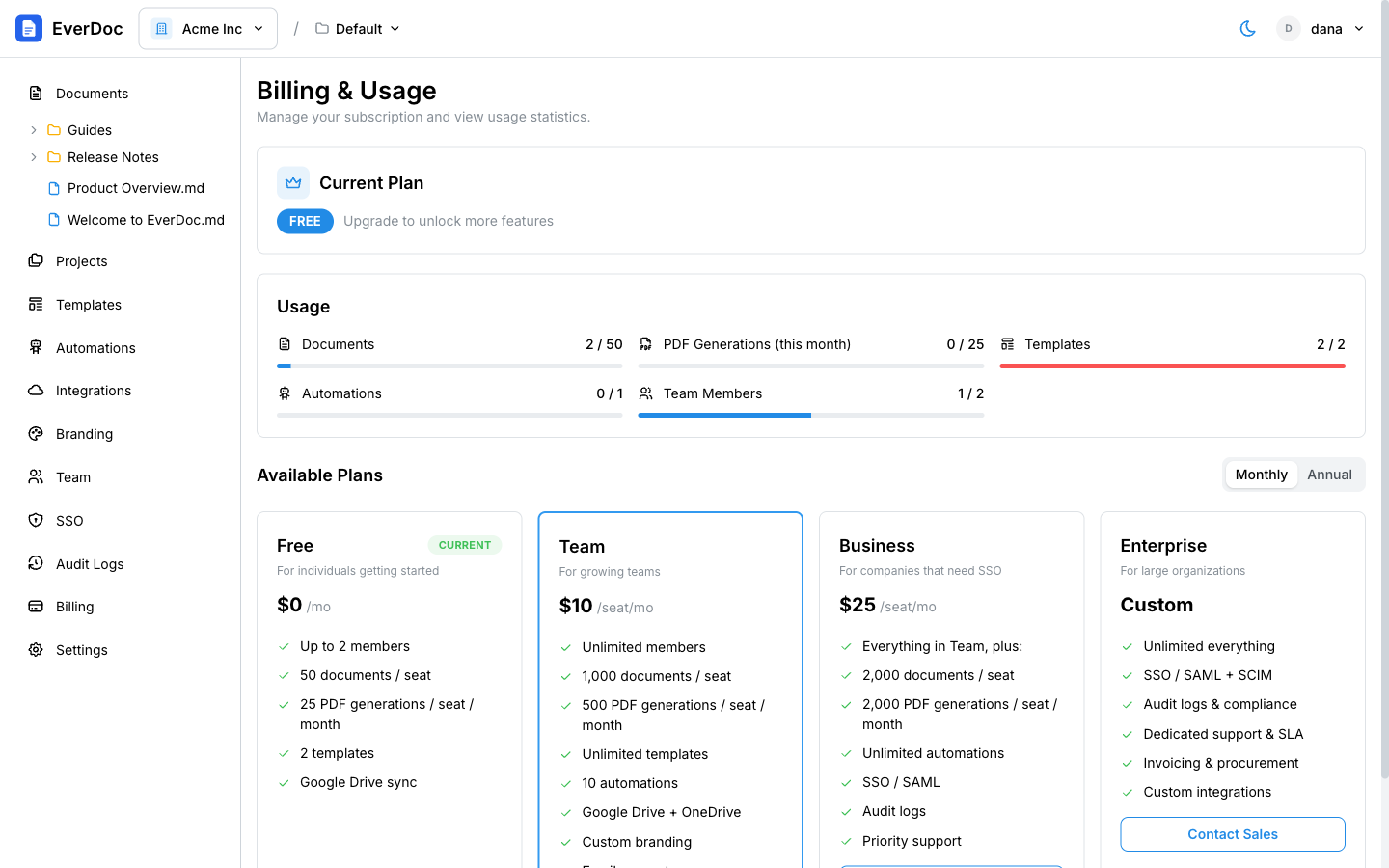
Plans
| Free | Team | Business | Enterprise | |
|---|---|---|---|---|
| Price | $0 | $10/seat/mo ($100/seat/yr) | $25/seat/mo ($250/seat/yr) | Custom |
| Members | Up to 2 | Unlimited | Unlimited | Unlimited |
| Documents | 50 / seat | 1,000 / seat | 2,000 / seat | Unlimited |
| PDF generations / month | 25 / seat | 500 / seat | 2,000 / seat | Unlimited |
| Templates | 2 | Unlimited | Unlimited | Unlimited |
| Automations | 1 | 10 | Unlimited | Unlimited |
| SSO / SAML | — | — | ✓ | ✓ |
| Audit logs | — | — | ✓ | ✓ |
How per-seat quotas work
Document and PDF quotas are pooled across your active seats. A 5-person Team plan, for example, shares 5,000 documents and 2,500 PDF generations per month — it doesn't matter who uses them. Seat counts sync to your subscription automatically as members join and leave.
Track usage
The Usage card shows progress bars for Documents, PDF Generations (this month), Templates, Automations, and Team Members. Bars turn yellow at 75% and red at 90% so you see limits coming. When a quota is reached, the affected action pauses until the next month or an upgrade.
Upgrade, downgrade, or cancel
- Under Available Plans, toggle Monthly/Annual, then click Upgrade on the plan you want. Checkout is handled securely by Paddle.
- For Enterprise, click Contact Sales.
- To cancel a paid plan, click Cancel Subscription on the Current Plan card. Your plan stays active until the end of the billing period, then reverts to Free.